cyxCoder
明天你会感谢今天奋力拼搏的你。
ヾ(o◕∀◕)ノヾ
Ubuntu22.04安装Docker
2024-10-12 12:57
672
0
一、手动安装
1.1、更新Ubuntu软件包
更新本地软件包列表:sudo apt update
更新系统已安装软件包:sudo apt upgrade
1.2、添加Docker依赖库
安装依赖,用于通过HTTPS获取仓库:
apt-transport-https \
ca-certificates \
curl \
gnupg-agent \
software-properties-common
1.3、添加Docker的官方GPG秘钥
1.4、添加Docker官方库
使用命令更新Ubuntu源列表
1.5、安装Docker
1.6、配置Docker国内镜像源
修改配置文件/etc/docker/daemon.json,如果没有新建一个
内容为:
"registry-mirrors": [
"https://dockerproxy.com",
"https://hub-mirror.c.163.com",
"https://mirror.baidubce.com",
"https://ccr.ccs.tencentyun.com"
]
}
重新启动一下docker
systemctl restart docker
检查配置是否生效
输出结果中Registry Mirrors下显示的URL为配置文件中的内容,则说明配置成功。
1.7、Docker命令简单介绍
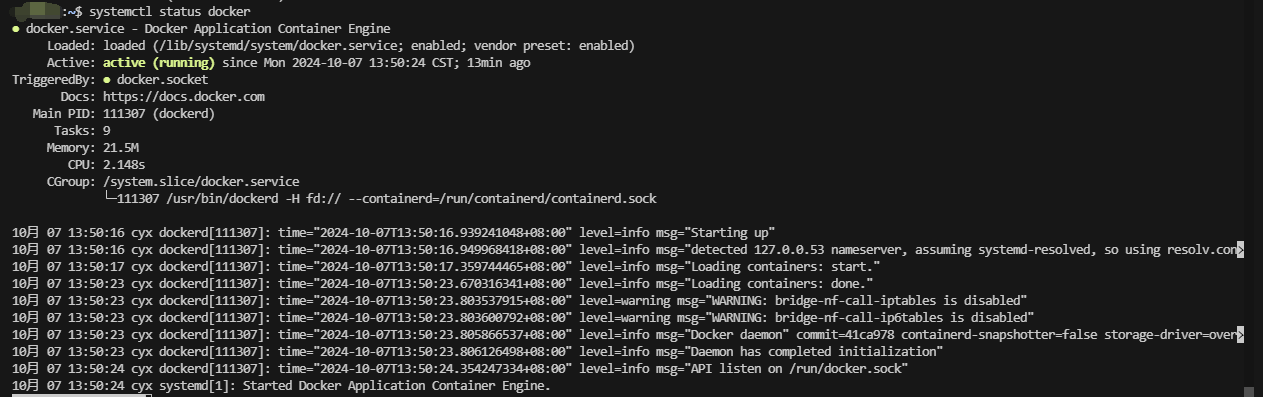
查看Docker服务状态:
启动Docker服务:
设置Docker开机启动:
查看版本:
列出本地的Docker镜像:
Docker具体命令可参考:https://www.runoob.com/docker/docker-command-manual.html
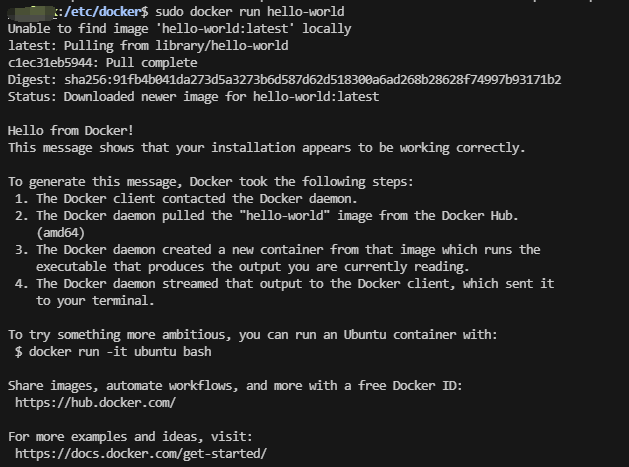
1.8、测试Docker是否运行正常
1.9、防火墙iptables对docker虚拟机桥接流量处理
通过docker info命令,如果打印的最下面有如下警告,则表示没开启防火墙对桥接流量的处理。(生产环境建议开启)
WARNING: bridge-nf-call-ip6tables is disabled
二、官方脚本安装
Docker 在 get.docker.com 和 test.docker.com 上提供了方便脚本,用于将快速安装 Docker Engine-Community 的边缘版本和测试版本。
测试版本安装:
sudo sh test-docker.sh
最新版本:
sudo sh get-docker.sh
注意:
- 不建议在生产环境使用这些脚本。如果需要在生产环境使用,请仔细检查审核脚本内容。
- 该脚本未提供用于指定要安装哪个版本的 Docker 的选项,而是安装了在 edge 通道中发布的最新版本。
- 如果已使用其他机制将 Docker 安装在主机上,请不要使用便捷脚本。
三、卸载Docker
删除安装包:
删除镜像、容器、配置文件等内容:
注意事项
如果遇到如下错误:curl: (35) OpenSSL SSL_connect: 连接被对方重置
可以试着用如下命令把证书重装一下:
四、参考
https://www.runoob.com/docker/ubuntu-docker-install.html
全部评论